Modellbahn Keks
Welcome!
Our cookies offer you a fast, relaxed and full-featured shopping experience. Some are necessary to operate the website and its functions. Others help us to improve our services. If you agree to this, simply consent to the use of cookies for preferences, statistics and marketing by clicking on "OK". Alternatively, you can deactivate individual cookies under "Customise cookies" or all cookies, except those required for the function of our website, under "Reject all".
Digitising a model railway with decoders, a digital command station and sound
Drive, Switch, Detect and Retrofit Sound

Digitise Model Railways | Decoders, Command Stations & Sound

From an analogue locomotive to a digital layout: choose decoders, identify interfaces, understand DCC and mfx, retrofit sound and select a suitable digital command station for H0, TT, N, Z, 0, 1, G and narrow-gauge model railways.

From an Analogue Vehicle to a Digital Model Railway

What Does It Mean to Digitise a Model Railway?

Digitise Model Railways | Decoders, Command Stations & Sound means equipping locomotives and, if required, coaches, turnouts, signals and further layout functions with digital control technology. The digital command station transmits commands through the track. A decoder in the vehicle recognises its address and converts the relevant command into motor, lighting, sound or additional functions.

The decisive difference from traditional analogue operation is individual control. Several digitally equipped locomotives can remain on the same electrically powered track while still operating independently. One locomotive can stand still while another accelerates and a third switches its lights or sound.

Digitisation does not immediately require a fully automated large layout. For a straightforward start, a suitable digital command station , a control device and one locomotive with a compatible decoder are sufficient. Turnouts, feedback modules, boosters, routes, Wi-Fi control and computer operation can be added later.

Compatibility must be checked before every conversion. Digital protocol, interface, installation space, motor current and desired functions must all work together. A decoder should therefore not be selected solely by manufacturer or gauge. With older vehicles, it is also necessary to check whether the motor and lighting can be electrically isolated correctly from the track connections.

The Digital Language of the Layout

Understanding DCC, mfx, Motorola and RailCom

A digital protocol describes communication between the command station and decoder. It is not the same thing as two-rail, centre-contact, direct current or alternating current.

1

DCC

Cross-Manufacturer System
Suitable for Many Gauges and Vehicle Brands

DCC is a very widely used digital control format. It is supported by numerous command-station and decoder manufacturers and is therefore especially practical for layouts containing vehicles from different brands.

2

mfx and mfx+

Convenience within the Märklin System
Automatic Registration of Compatible Vehicles

mfx is closely associated with the Märklin digital environment. Compatible vehicles can register automatically with a suitable command station and provide their available functions.

3

Motorola

Important for Existing Layouts
Continue Using Older Digital Technology

The Motorola format is particularly relevant to older Märklin digital layouts. Multi-protocol command stations and suitable decoders can often continue to integrate existing vehicles using this format.

4

RailCom

Bidirectional Communication
Return Information from the Decoder

RailCom adds a return channel to compatible DCC systems. Suitable decoders can therefore transmit information back to the digital system or compatible feedback and control components.

DCC Does Not Automatically Mean Two-Rail

The track system and digital protocol must be considered separately. DCC-capable decoders can also be used with suitable H0 centre-contact vehicles when the vehicle, command station and decoder are technically compatible.

Match the Decoder to the Vehicle PCB

Compare Next18, PluX22, 21MTC and Classic NEM Plugs

Interface Classification Typical Application Check Before Buying
Next18 NEM 662 N, TT and compact H0 vehicles installation height, sound version and loudspeaker space
PluX22 NEM 658 modern H0 locomotives function outputs and circuit-board assignment
21MTC NEM 660 numerous H0 vehicles output type and vehicle PCB
6-Pin NEM 651 older N and TT models installation orientation and available functions
8-Pin NEM 652 many older H0 vehicles pin assignment, installation space and auxiliary functions
No Plug wired connection older vehicles and custom conversions motor isolation, current pickup and wiring

A similar number of contacts does not automatically mean compatibility. PluX22 and 21MTC in particular are different systems. For reliable identification, use the Decoder Interface Guide .

From Micro Decoders to Garden Railways

Digitisation for All Important Model Railway Gauges

The basic principle is similar in every model railway size. As vehicles become smaller or larger, however, installation space, current demand, heat development, loudspeaker size and the requirements placed on command stations and boosters change.

Gauge Typical Digital Technology Common Connections Particularly Important
Z Gauge compact DCC solutions micro decoders, wired connections extremely limited space and heat dissipation
N Gauge DCC and compact sound Next18, NEM 651 decoder and loudspeaker dimensions
TT / TTe DCC and multi-protocol Next18, PluX12, PluX16 PCB position and installation height
H0 DC DCC, RailCom and multi-protocol PluX22, 21MTC, Next18, NEM 652 motor current and vehicle PCB
H0 AC mfx, Motorola and DCC 21MTC, PluX22, manufacturer-specific PCBs centre-contact version and pickup shoe
H0e / H0m / H0f DCC and compact decoders Next18, wires, compact plug systems very restricted locomotive bodies
0 / 0e DCC and multi-protocol large-scale decoders, wires, screw terminals higher motor and function currents
Gauge 1 / Gauge II powerful large-scale decoders wired and system PCBs power reserve and sound equipment
G / IIm DCC and garden railway systems large-scale PCBs and wired connections outdoor operation, long wiring runs and high power
From the First Test to a Finished Digital Locomotive

Digitise an Analogue Locomotive Safely

1

Check the Vehicle Technically

Conversion Step 1
Resolve Mechanical Problems First

Wheels, current pickup, motor and gearbox should work reliably. A locomotive that jerks in analogue operation will not automatically become a smooth runner simply because a decoder is installed.

2

Identify the Decoder Interface

Conversion Step 2
Never Choose a Plug by Appearance Alone

Check the instructions and vehicle PCB. Next18, PluX, 21MTC and six- or eight-pin interfaces differ technically and must not be confused.

3

Check Motor Current and Power

Conversion Step 3
Choose a Decoder with Sufficient Reserve

The permitted motor current must suit the vehicle. Older motors and large-scale models can require considerably more power than modern H0, TT or N drives.

4

Plan Sound and the Loudspeaker

Conversion Step 4
Good Sound Requires a Suitable Sound Enclosure

For sound conversions, decoder, loudspeaker, impedance and sound enclosure must work together. In compact vehicles, planning the available space can be more difficult than the electrical connection itself.

5

Check the Wiring before Applying Power

Conversion Step 5
Avoid Short Circuits and Incorrect Motor Connections

In vehicles without an interface, the motor must be isolated correctly from track voltage. Check every wire for unintended connections before the first digital test.

6

Program and Fine-Tune Driving Behaviour

Conversion Step 6
Change Settings Individually and Test Them

Address, direction, acceleration, braking behaviour, maximum speed, motor control, lighting and function mapping should be adjusted one at a time. This makes it clear which change has produced which effect.

Older Vehicles Often Require an Individual Conversion

If there is no standardised interface, soldering work and a careful electrical inspection are required. Professional installation may be the safer solution for valuable models, difficult circuit boards, machining work or complex sound conversions.

Digital Systems and Decoders by Brand

Important Manufacturers for Digital Model Railways

Manufacturer pages lead directly to command stations, decoders, modules and compatible accessories from each brand.

Current Digital Technology from the Webshop

Filter Decoders, Sound, Command Stations and Modules Intelligently

The product groups are supplemented from the corresponding current English shop categories when the section approaches the viewport. Search and quick filters allow command stations, locomotive decoders, sound technology, modules and important interfaces to be narrowed down quickly.

The curated English product selection is displayed until the live shop check starts.

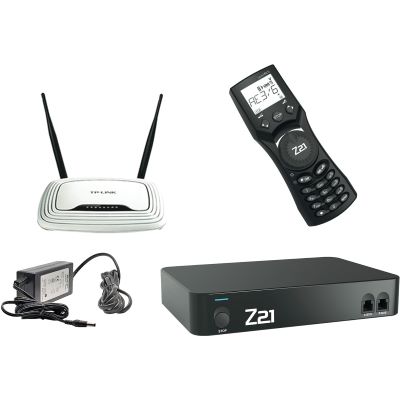
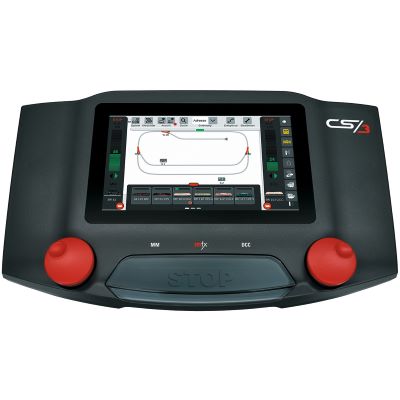
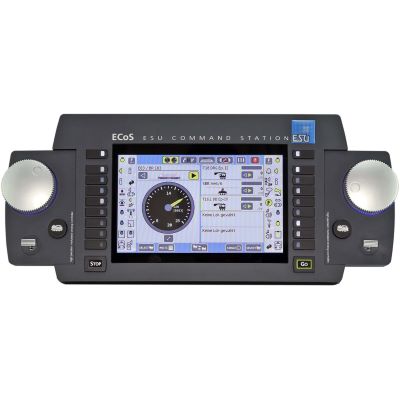
Digital Command Stations and Handheld Controllers

The command station determines the digital protocols, operating concept, expansion buses and future development options of the layout.

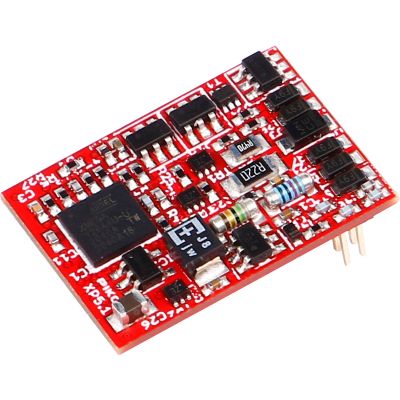
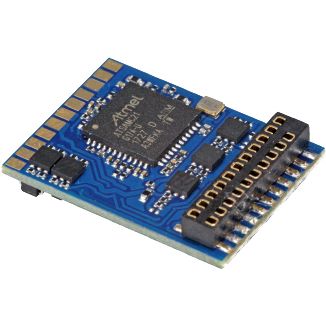
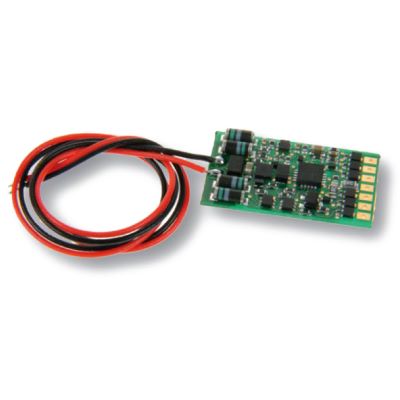
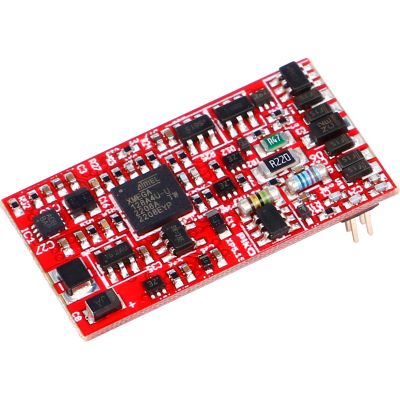
Locomotive Decoders for Existing Vehicles

The interface, protocol, motor current and function outputs determine which decoder actually suits a locomotive.

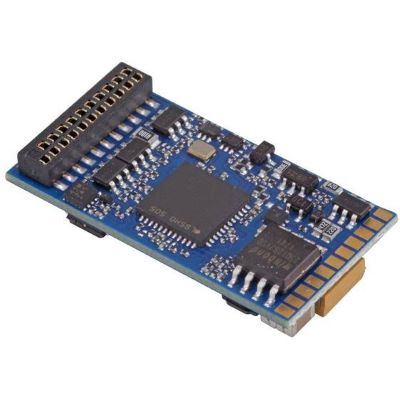
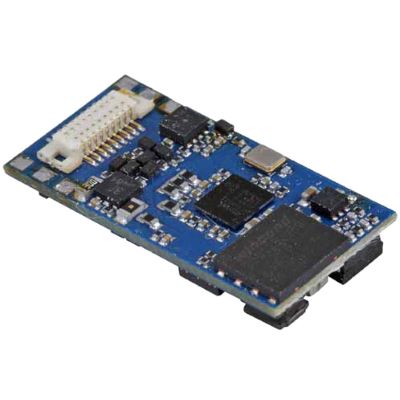
Sound Decoders and Sound Retrofitting

Sound conversions require the interface, loudspeaker, available installation space, sound project and electrical load capacity to be considered together.

Switch, Detect and Expand the Layout

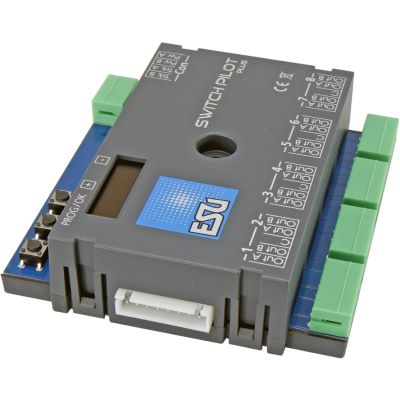
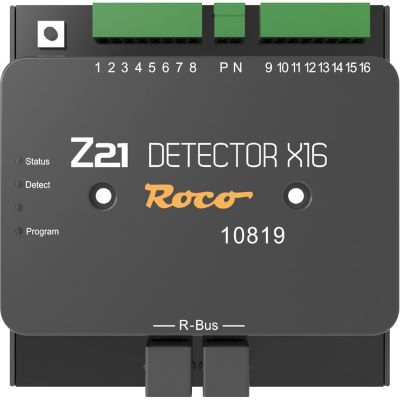
Accessory decoders, feedback modules and digital modules connect turnouts, signals, occupancy detection and automated operating sequences to the digital command station.

Decoder and Sound Installation

When Is Professional Digitisation Worthwhile?

Not every locomotive has a modern plug-in interface. In older vehicles, motor connections, lighting and current pickup may be wired directly. Professional conversion is particularly useful when installation space is limited, circuit-board tracks must be modified, body parts require machining or a loudspeaker must be installed correctly.

Before conversion, decide which functions are actually required. A reliable drive decoder may be sufficient for a simple shunting locomotive. A high-quality steam, diesel or electric locomotive may benefit from sound, cab lighting, shunting lights, firebox lighting, buffer storage or additional functions.

Current information about installation and repair services is available in the Decoder Installation and Repairs Price List .

Frequently Asked Questions about Digital Technology

Answers About Digitising Model Railways

The most important decisions concern the command station, decoder, protocol, interface, motor current and required range of functions.

What Is the Minimum Equipment Required for a Digital Model Railway?

You need a suitable digital command station with a power supply, a handheld controller or another operating interface, track and at least one locomotive with a decoder compatible with the command station. Accessory decoders and feedback can be added later.

Can Every Older Locomotive Be Digitised?

Many older locomotives can be converted. The amount of work depends on the motor, current pickup, available space, lighting and existing circuit board. Without an interface, individual wiring is normally required.

Which Decoder Fits My Locomotive?

The interface, digital protocol, installation dimensions, permitted motor current and number of function outputs are decisive. A sound conversion also requires a suitable loudspeaker connection and sufficient sound-enclosure space.

What Is the Difference between DCC and mfx?

DCC is a widely supported cross-manufacturer digital protocol. mfx is particularly common within the Märklin environment and can provide convenient automatic vehicle registration with compatible equipment.

Is PluX22 the Same as 21MTC?

No. Both provide numerous electrical contacts, but they are designed and wired differently. The decoder must match the exact interface intended for the vehicle.

When Do I Need a Sound Decoder?

A sound decoder is required when operating sounds are wanted in addition to motor, lighting and function control. A compatible loudspeaker and sufficient installation space are also required.

When Does a Digital Layout Need a Booster?

A booster becomes useful when the current demand exceeds the output of the command station or when a larger layout should be divided into separate supply and short-circuit districts. The required power depends on the vehicles and electrical consumers being operated.

Can Decoders from Different Manufacturers Be Used Together?

Yes, provided the decoder and command station support at least one common protocol and the technical requirements of each vehicle are met. Accessory modules may additionally depend on a compatible system or feedback bus.

Can I Control My Model Railway with a Smartphone or Tablet?

Many modern digital command stations provide network or Wi-Fi functions. Depending on the system, a smartphone, tablet, wireless handheld controller or computer can be used alongside traditional controls.

Should I Digitise the Locomotive or the Entire Layout First?

A small and controlled starting point is sensible: begin with a command station, a test circuit and one reliably operating digital locomotive. Additional vehicles, turnouts, feedback and automation can then be added step by step.

From the First Digital Locomotive to a Complete Model Railway Layout

Gauges, track, electrical systems, digital technology, layout planning, maintenance, scenery and further model railway subjects are covered in the central knowledge guide.

Open the Main Model Railway Guide