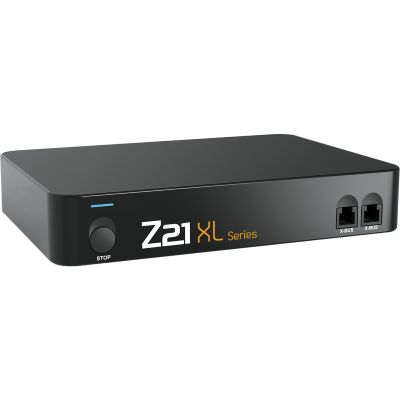
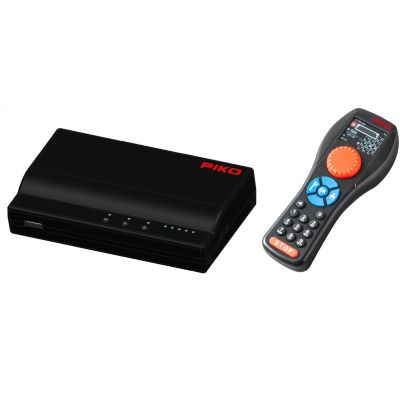
1. Connect the command station
Connect the track, power supply and programming track, where applicable, in accordance with the manufacturer's instructions. Set up the network connection only afterwards.



With a compatible digital command station, a smartphone becomes a mobile throttle and a tablet becomes a clear track-diagram control panel. Locomotives, lighting, sound, turnouts, signals and routes can be operated through an app or web interface, often without an internet connection.
A smartphone cannot supply traction current directly to a model railway. A digital command station is positioned between the mobile device and the track. It receives the operating command from the app or web interface and converts it into a suitable digital signal for locomotive decoders, turnouts and signals.
The smartphone or tablet usually connects to a router or access point through Wi-Fi. The command station is either connected to this network with a LAN cable or has its own integrated Wi-Fi module. Systems such as the Roco Z21, Märklin Central Station, ESU ECoS, Tams mc², YaMoRC YD7010 and Uhlenbrock Intellibox establish this connection in different ways.
A compatible control interface is also required. This may be a manufacturer app, a browser-based web interface or a compatible third-party control app. The app must be able to communicate with the network protocol used by the command station. A random model railway app therefore cannot automatically control every digital command station.
A purely analogue locomotive has no digital decoder and cannot respond to individual app commands. For independent multi-train operation, the locomotives must be digitised or replaced with digital vehicles. Accessories can be controlled digitally separately while individual traction-current circuits initially remain analogue.
The mobile device itself does not determine the track format. The digital command station generates formats such as DCC, mfx or Motorola. Multi-protocol command stations can manage fleets fitted with different types of decoder.
The command station and mobile device only need to be connected to the same local network. Internet access is generally only required to install the app, update firmware, create backups, activate functions or use additional online services.
The smartphone or tablet sends the command to the command station through Wi-Fi. The command station transmits it through the track to the appropriate decoder.
Not every Wi-Fi system is controlled with a standard smartphone app. Different operating methods are available depending on the manufacturer.
| Control method | Control device | Typical systems | Particular strength |
|---|---|---|---|
| Manufacturer app | Android or iOS smartphone and tablet | Roco Z21 app and other system-specific solutions | Locomotive images, cab views, track diagrams and accessory control. |
| Web interface | Web browser on a tablet, smartphone or computer | Märklin CS3 web app and Tams mc² web interface | No separate app is required for each operating system. |
| Wi-Fi handheld controller | Manufacturer-specific mobile controller | Mobile Station WLAN, WLANMAUS, DAISY II and SmartController | The rotary knob and buttons can be used without looking at the controller. |
| Android wireless controller | Touchscreen controller with a mechanical throttle knob | ESU Mobile Control Pro | Combines smartphone technology with ergonomic model railway control. |
| Open network protocol | Compatible third-party app or handheld controller | WiThrottle-compatible command stations and YaMoRC | A wider selection of control devices and software. |
| Computer control | PC or notebook connected through LAN | Z21, ECoS, CS3, Intellibox and mc² | Automation, staging yards, timetables and train tracking. |
Do not only check whether a command station has Wi-Fi. The decisive question is which app, web interface or open network protocol is actually supported.
The exact menu structure differs from one system to another. The basic setup, however, almost always follows the same steps.
Connect the track, power supply and programming track, where applicable, in accordance with the manufacturer's instructions. Set up the network connection only afterwards.
Use the command station's integrated access point or connect a router through LAN.
Select the model railway Wi-Fi network on the smartphone or tablet and enter the corresponding password.
Start the compatible manufacturer app or enter the command station's web address in the browser.
Select the digital format and address or import an existing locomotive from the command station's database.
Check the direction of travel, lighting, functions, stop button and behaviour when the Wi-Fi connection is interrupted.
The basic function is driving a selected locomotive. A virtual throttle changes the speed, while a direction button reverses the direction of travel. Lighting, sound, shunting mode, couplings, smoke generators and other decoder functions can also be activated using on-screen icons.
On a suitably equipped layout, turnouts, signals, lighting, turntables and other accessories can also be controlled. A tablet is particularly suitable for a graphical track diagram because several operating locations and routes remain visible at the same time.
On small and medium-sized layouts, a digital track diagram can perform many of the tasks of a conventional control panel. Large layouts may benefit from several tablets, stationary monitors or an additional layout computer. Mechanical emergency-stop buttons remain advisable regardless of the control method.
Locomotive images make it easier to select vehicles from a large fleet. Clear function icons immediately indicate where to activate the horn, interior lighting, cab lighting or coupling. A well-maintained locomotive database is required for this to work effectively.
Many systems allow several smartphones, tablets or Wi-Fi handheld controllers to be used. For club and family layouts, locomotive assignments, operating permissions and shared stop functions should be agreed in advance.
Train positions and track occupancy can only be displayed when suitable feedback modules and a corresponding layout configuration are available.
Both devices can control the same command station. The size and operating concept determine which device is more convenient at a particular operating position.
| Criterion | Smartphone | Tablet | Recommendation |
|---|---|---|---|
| Mobility | Fits in one hand and is easy to carry. | Larger and usually operated with both hands. | Use a smartphone while walking alongside the train. |
| Locomotive control | Suitable for one throttle and the most important functions. | More space for several throttles and function panels. | Both are suitable for normal train operation. |
| Track diagram | Only small sections can be displayed clearly. | Routes, stations and turnouts remain easier to identify. | Use a tablet as a mobile control panel. |
| Battery life | Often used for many other tasks as well. | Can remain permanently at a layout operating position. | Provide a charging point near the layout. |
| Operating feel | Compact but entirely touchscreen-based. | Large buttons, but still no physical throttle knob. | Add a Wi-Fi handheld controller for operation without looking. |
Control with a smartphone or tablet is independent of the scale. However, the electrical output of the digital command station must suit the scale and the number of vehicles.
| Scale | Mobile control | Important technical question | Suitable system type |
|---|---|---|---|
| Z scale | App and web-interface control are generally possible. | Very low track voltage and small decoders. | Command station with adjustable output voltage. |
| N scale | Well suited to compact layouts and staging yards. | Carefully match the voltage and total current. | Compact DCC app-controlled command station. |
| TT scale | Smartphone for driving and tablet as a control panel. | Allow for the current consumption of several sound locomotives. | DCC command station with Wi-Fi and a booster option. |
| H0, H0e and H0m | The widest selection of command stations, apps and controllers. | Check DCC, mfx, Motorola and the AC or DC system. | Multi-protocol or DCC network command station. |
| 0 scale | Particularly practical when walking alongside shunting or mainline trains. | Higher motor and function current. | Powerful command station with adjustable track voltage. |
| 1 scale | Large layouts benefit considerably from wireless control. | Dimension the booster districts and power supply correctly. | Command station with a powerful booster and Wi-Fi router. |
| G scale and IIm | A smartphone or tablet can be used directly in the garden. | High track voltage, long cables and weather conditions. | Large-scale control system with sufficient power reserves. |
A convenient app says nothing about the available traction current. Compare the network functions and electrical output of a command station as separate criteria.
The mobile device and command station are often connected to different networks, or the router is blocking direct communication.
Check the Wi-Fi name, network cable and IP address. The smartphone and command station must be connected to the same local network.
Temporarily disable mobile data and connect the device exclusively to the model railway Wi-Fi network.
Some systems do not transfer the locomotive list automatically. The vehicles must then be added manually in the app or mobile controller.
Position the router or access point higher and closer to the centre. Metal frames, walls and large scenery structures can shield the signal.
Check for radio interference, router load and power-saving settings on the mobile device. Stationary network devices should be connected by LAN.
Check the app, command-station and router versions. Always back up locomotive lists and configurations before installing updates.
The selection covers compact layouts, conventional H0 systems and powerful solutions for larger scales. Some products are operated directly through an app, while others supplement a smartphone or tablet with an ergonomic Wi-Fi handheld controller.
Adjustable track voltage, compact dimensions and straightforward network connections are particularly important for smaller scales.
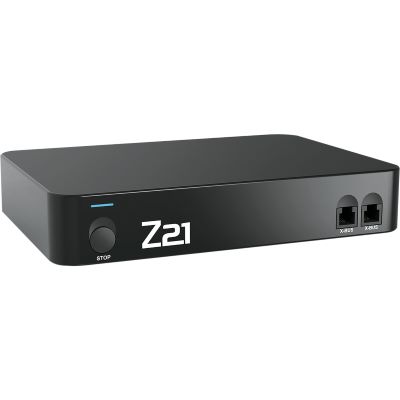
Compact DCC command station that can be upgraded with the Wi-Fi package for app control.
View product →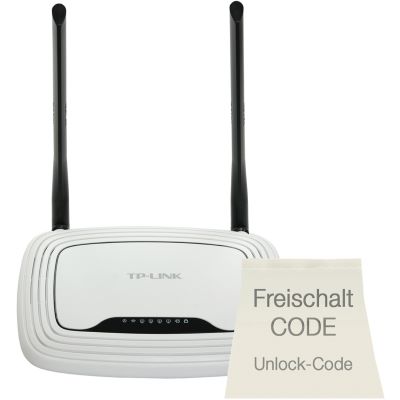
Preconfigured router and activation for the Z21 app and WLANMAUS.
View product →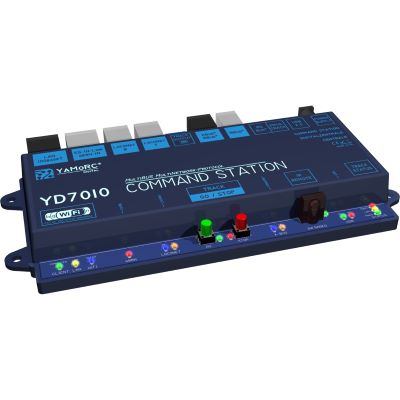
Compact network command station with an access point, Ethernet and open control protocols.
View product →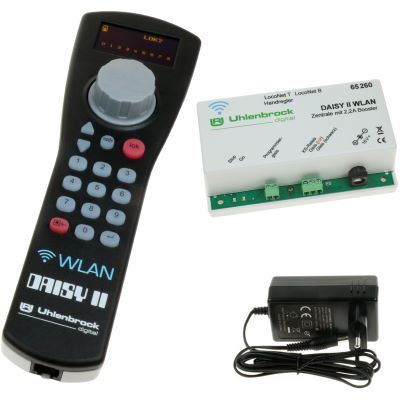
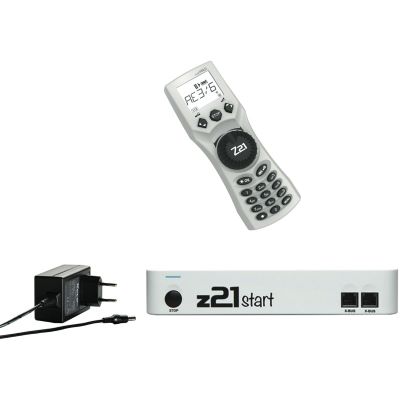
Command station, Wi-Fi controller and power supply as a complete mobile DCC system.
View product →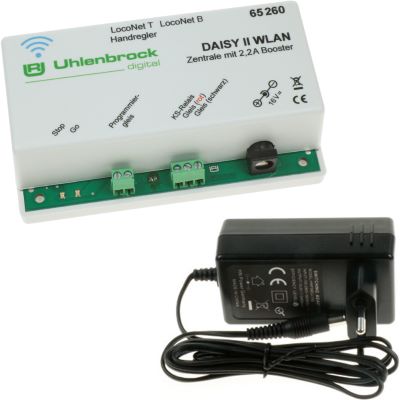
Compact DCC command station with its own Wi-Fi network and browser-based configuration.
View product →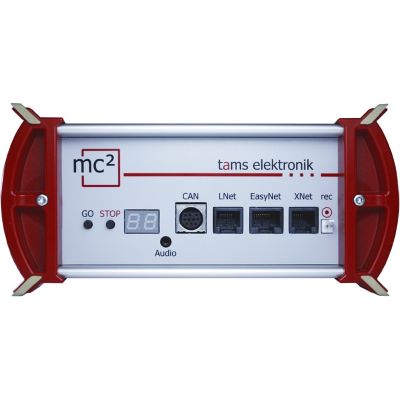
Powerful command station with LAN and an operating-system-independent web interface.
View product →These systems are suitable for larger locomotive fleets, graphical track diagrams, several operators and future computer control.
Network command station for the Z21 app, WLANMAUS, PC control and RailCom.
View product →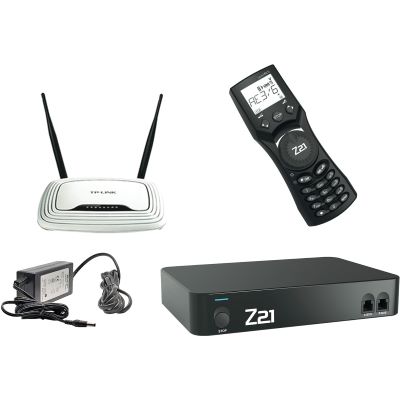
Z21, WLANMAUS and a preconfigured router for app and handheld-controller operation.
View product →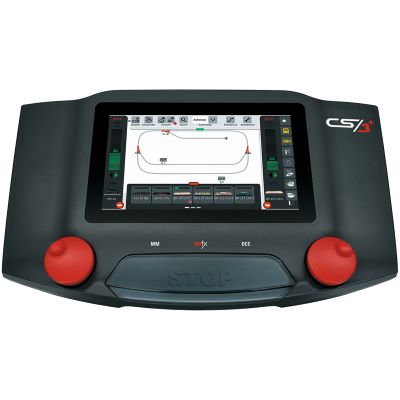
Multi-protocol command station with touchscreen, network connection and browser control.
View product →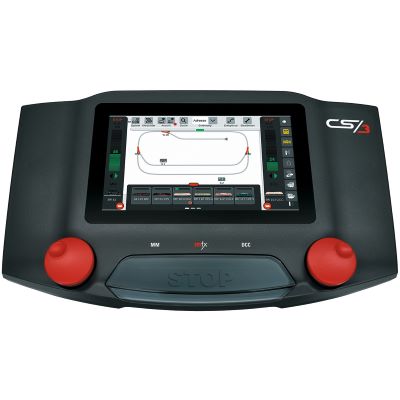
Touchscreen command station for mfx, DCC and Motorola with network access.
View product →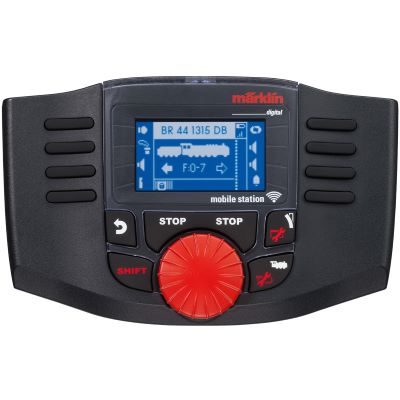
Wireless throttle as an ergonomic addition to a smartphone or tablet.
View product →
Connects Mobile Stations WLAN to compatible Märklin digital systems.
View product →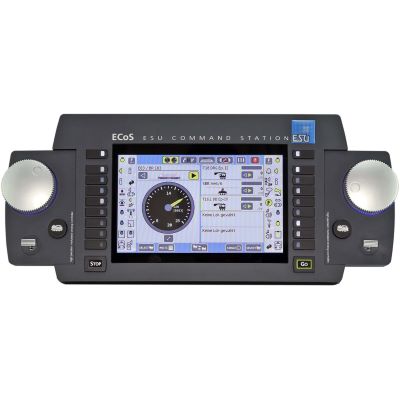
Powerful multi-protocol command station for Mobile Control and PC connectivity.
View product →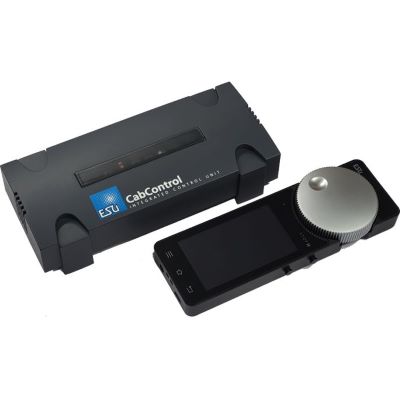
DCC command station with an integrated access point and Android wireless controller.
View product →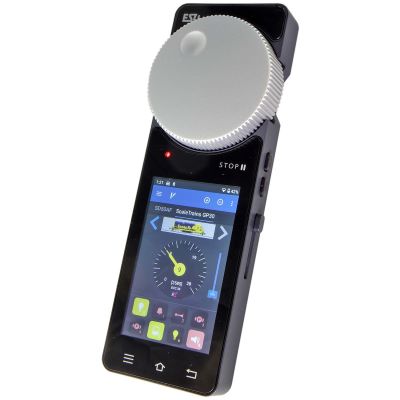
Touchscreen handheld controller with a motorised throttle knob and Wi-Fi connection.
View product →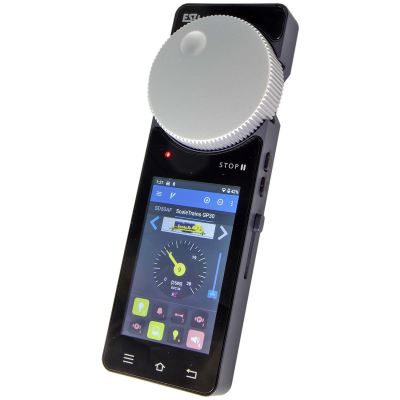
Mobile controller and dedicated access point for ECoS, Z21 and Märklin CS3.
View product →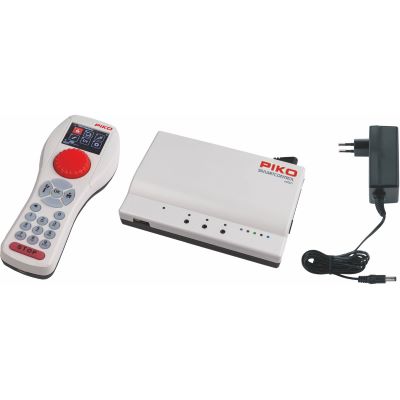
Base station and Wi-Fi handheld controller for mobile digital operation.
View product →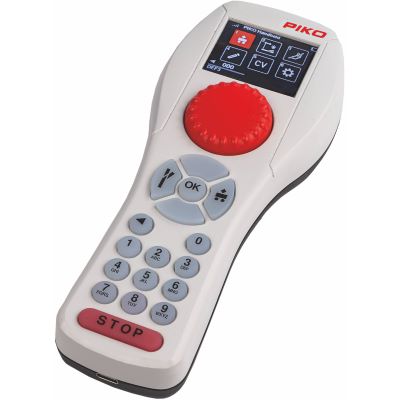
Ergonomic additional controller for multi-player operation with the SmartControl system.
View product →
Modern command station with Wi-Fi, LAN, a colour display and versatile bus systems.
View product →Larger vehicles require higher track voltage, more current and sufficient Wi-Fi coverage across long routes or outdoor layouts.
The most important answers about apps, Wi-Fi, internet access, compatibility, safety and using several control devices.
Yes, provided a suitable digital command station is added and the locomotives are fitted with compatible decoders. A purely analogue locomotive cannot be addressed individually through an app.
The best app is the one fully supported by your digital command station. Compare locomotive control, track diagrams, feedback functions, updates and operating-system support.
The Z21 operates through a local network. Preconfigured router sets make the setup easier and avoid many common network problems.
Yes. A current CS3 provides a web app that can be used on compatible computers, tablets and smartphones connected to the same network.
Many command stations allow several network devices to be connected. The exact number and the management of operating permissions depend on the system being used.
A Wi-Fi handheld controller provides a physical throttle knob and fixed buttons. An app provides more space for locomotive images, track diagrams and functions. Both control methods can be combined effectively.
Yes, provided the accessories are connected to the command station through digital turnout or switching decoders and have been added to the control interface.
Local operation works without internet access on many systems. The mobile device and command station only need to be connected to the same Wi-Fi network.
The command station continues operating, but the tablet can no longer send new commands. A stationary controller or second control device is useful as a backup.
Yes. The command station must provide sufficient voltage and current for the large vehicles. Adequate Wi-Fi coverage throughout the garden is also required.
Additional information is available on the Z21 app product page, in the Märklin information about the CS3 web app, in the ESU Mobile Control Pro information and in the operating instructions for the digital command station being used.
The central model railway guide covers digital command stations, scales, decoders, layout planning, track, vehicles, scenery construction and maintenance.