Short Address
The short primary address is stored in CV1. Under the standard DCC address range used here, short addresses run from 1 to 127. Some command stations may use their own conventions for addresses around 100 and above.

Every digitally controlled locomotive must be uniquely addressable by the command station. With DCC this is achieved using short or long addresses, while suitable mfx vehicles register automatically and Motorola uses its own address rules.
The Locomotive Address Workshop explains CV1, CV17, CV18 and CV29, calculates long DCC addresses, detects duplicate numbers in your personal address book and guides you step by step from the old entry to a safely tested new locomotive address.
The locomotive address is the digital assignment between a vehicle and the control system. If the modeller sends a driving command to DCC address 218, for example, only a decoder currently listening to that address should respond. With a large vehicle fleet, a unique and documented address scheme is therefore just as important as clear identification in any other inventory.
DCC uses two important primary-address types. The short DCC address is stored in CV1. A long DCC address is stored in CV17 and CV18. Bit 5 of CV29 must additionally be active for the decoder to use the long address.
This explains why changing only one CV can cause problems. If CV1 is changed to 50 while CV29 still enables long addressing, CV1 has indeed been changed, but the locomotive may continue responding to its previous long address instead.
Modern digital command stations handle this more conveniently. You simply enter the required address in the locomotive or decoder management menu. The command station calculates and writes the necessary CV values together. Manual calculation is still useful for troubleshooting, older systems and checking stored CV values.
The decoder must additionally be switched to long addressing through CV29. The calculator on this page preserves the other CV29 bits, but the dedicated address function of a suitable command station should normally be preferred.
The short primary address is stored in CV1. Under the standard DCC address range used here, short addresses run from 1 to 127. Some command stations may use their own conventions for addresses around 100 and above.
Long addresses from 128 to 10239 are stored using CV17 and CV18. Bit 5 of CV29 activates use of the extended address.
Compatible decoders can register automatically with the command station. The locomotive record and internal system identification are then more important than a manually assigned DCC address.
The address is assigned through the decoder or command-station settings. Older products may additionally use coding switches. The available range depends on the particular decoder and controller.
CV19 stores an additional address for multiple-unit operation on suitable DCC decoders. It does not automatically replace the primary address stored in CV1 or CV17/CV18.
The calculator automatically distinguishes between short and long DCC addresses. When changing CV29, it modifies only the bit used to select the address type. Existing settings for direction, speed-step mode, analogue operation and other options remain intact.
Enter the required address and the current value read from CV29. CV17 and CV18 are calculated automatically for a long address.
CV17 = 192 · CV18 = 218 · CV29 changes from 6 to 38.
For a short address, the calculator sets CV1 and clears only bit 5 of CV29. For a long address, CV1 remains unchanged. Always compare the result with the decoder instructions.
Store the locomotive name, protocol and address locally in your browser. Duplicate active address combinations are highlighted.
Entries are stored exclusively in this browser.
Distinguish between DCC, mfx, Motorola, Selectrix and multi-protocol operation. Change only the address world that is actually being used.
Put only the vehicle being programmed on a clean, electrically isolated programming track.
Check and document CV1 and CV29 or the existing locomotive record in the command station.
Select an address that is not already in use and is preferably easy to associate with the locomotive or its running number.
For long DCC addresses, preferably use the locomotive or decoder-management function provided by the command station.
Allow the programming command to complete and then briefly remove power from the vehicle. If energy storage is installed, allow sufficient time for it to discharge.
Check low-speed running, both directions, lighting and at least one additional function using the new address.
Record the locomotive name, address, protocol and decoder in your own address book and in the command station where appropriate.
Modern command stations hide the technical CV calculation behind locomotive management. This makes it easier to configure CV17, CV18 and CV29 correctly together when assigning a long DCC address.








For frequent changes, convenient locomotive management is usually much easier than writing individual CVs manually.
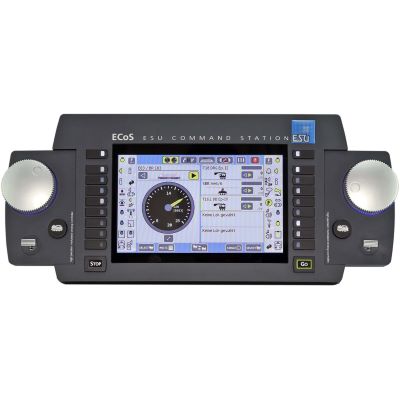
Graphical locomotive management for DCC, M4, Motorola and Selectrix.
View Product →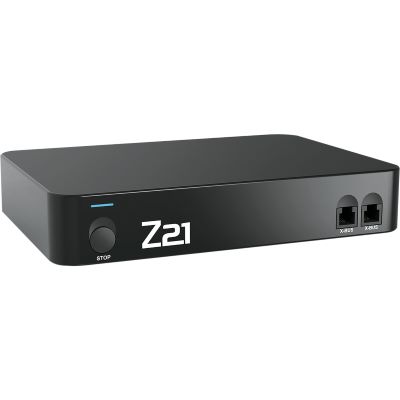
Locomotive management, CV programming, app operation and networking.
View Product →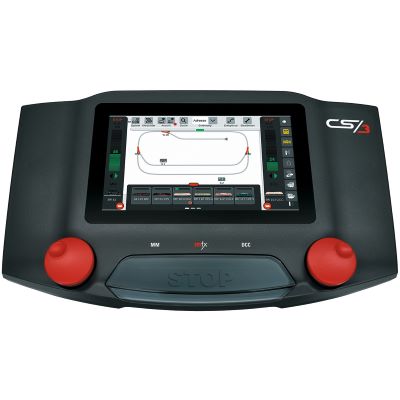
Vehicle management for mfx, mfx+, Motorola and DCC.
View Product →
Locomotive database, CV programming and extensive system integration.
View Product →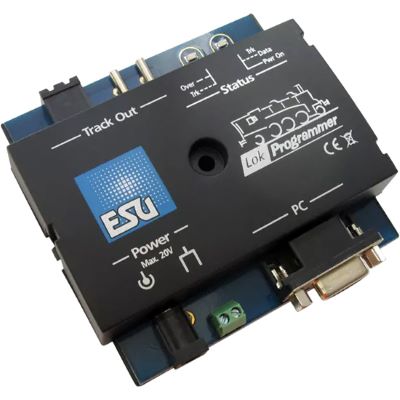
Configure addresses, driving behaviour, mapping and sound graphically.
View Product →DCC addressing works independently of model scale in principle. The decisive factors are the decoder, protocol and digital command station. Differences between gauges arise mainly from decoder size, track voltage and current requirements.
| Gauge World | Typical Digital Technology | What to Check When Changing the Address |
|---|---|---|
| Z Gauge | small DCC decoders | suitable track voltage and reliable current pickup |
| N Gauge | DCC, Next18 and micro decoders | programming contact must remain reliable despite the small vehicle size |
| TT / TTe | DCC and some multi-protocol decoders | long running numbers can work well as memorable long DCC addresses |
| H0 / H0e / H0m / H0f | DCC, mfx, Motorola and multi-protocol systems | clearly identify the protocol being used before writing any settings |
| Gauge 0 | DCC and large-scale decoders | keep the primary address separate from the consist address |
| Gauge 1 / G | DCC, Märklin, Massoth and other large-scale systems | consider multiple decoders or function modules installed in one vehicle |
Check whether CV29 still enables long DCC addressing. If it does, the decoder will not respond to the new CV1 address.
Both vehicles probably use the same active primary address or consist address. Program the vehicles individually.
CV17 and CV18 alone are not sufficient. Bit 5 in CV29 must additionally enable the long address.
Check CV19 for an active consist address. This can make the locomotive respond to additional multiple-unit commands.
An automatically registered mfx locomotive entry and an older manually created locomotive record may both still exist.
Check the wheels, pickup shoe, track, programming output and electrical isolation before changing more CV values.
The product search loads current digital products from English manufacturer and category pages. Product detail pages with a clear archive notice are excluded. Small preview images are normalised to the 400-pixel shop version; delivery and stock information is deliberately not displayed on this landing page.
Live checking will begin when you approach this section.
Once the new locomotive address works reliably, driving behaviour, maximum speed, lighting and function assignments can be adjusted. Make changes one at a time and test each change immediately.
The short DCC primary address is stored in CV1. CV29 must simultaneously be configured so that the decoder uses short addressing.
A long DCC address is stored in CV17 and CV18. Bit 5 of CV29 must additionally be enabled.
The address should be unique and easy to recognise. Part of the locomotive's running number or class number is often a practical choice.
No. Modern digital command stations usually include an address assistant that writes CV17, CV18 and the required setting in CV29 automatically.
Long addressing may still be enabled in CV29. In that case the decoder responds to CV17 and CV18 instead of the new value in CV1.
Compatible mfx locomotives normally register automatically with a compatible command station. The internal system ID is managed automatically; an additional DCC address is a separate decoder setting.
A multi-protocol decoder can store settings for several digital formats. In DCC operation, CV19 can additionally contain a consist address for multiple-unit operation.
The vehicles usually share the same active primary address or are both responding to the same consist address.
On suitable DCC decoders, CV19 stores a consist address for multiple-unit operation. It is separate from the normal locomotive address.
Suitable DCC decoders can use RailCom to return information to compatible command stations or detectors. This can support vehicle identification, diagnostics and automated operation.
In Service Mode, only the vehicle being programmed should be connected to the programming output. This helps prevent accidental changes to additional decoders.
Record at least the locomotive name, address, digital protocol and decoder manufacturer. The local address book on this page stores this information in the browser and highlights duplicate effective protocol/address combinations.
The comprehensive Model Railway Guide connects decoders, digital command stations, interfaces, driving behaviour, electrical systems, gauges, layout planning and maintenance into one complete knowledge base.