
A modeller with predominantly mfx locomotives needs a different system strategy from someone operating exclusively with DCC.
Digital Command Center
Drive · Switch · Detect · Automate
Compare Digital Command Stations | DCC, mfx & Wi-Fi
Märklin Central Station, Roco Z21, ESU ECoS, Uhlenbrock Intellibox, Lenz, PIKO SmartControl, YaMoRC, Massoth and other systems differ in far more than price or maximum output current.
Compare protocols, control methods, Wi-Fi and LAN, feedback, programming tracks, booster architecture and intended applications – and find the digital command station that suits your scale and planned model railway.
DCC
core protocol for many two-rail systems
mfx
automatic registration in the Märklin system
Wi-Fi
mobile control without a fixed operating position
RailCom
feedback channel for compatible DCC systems
The Most Important System Decision
What Does a Digital Command Station Do on a Model Railway?
The digital command station is the command centre of a digital model railway. It generates the digital signal, transmits driving and function commands to decoders and provides the connection to handheld controllers, turnouts, signals, feedback modules, boosters, smartphones, tablets and computers.
The best command station is therefore not automatically the device with the largest screen or highest amperage. The first decisive factor is the digital protocol . DCC is widely used on many two-rail layouts. Märklin users frequently work with mfx, mfx+ and Motorola. Multi-protocol command stations can operate several digital worlds at the same time.
The next question is how you want to operate the railway. Some modellers prefer a physical rotary controller, while others favour a large touchscreen. Anyone shunting along a long layout will appreciate a Wi-Fi or wireless handheld controller. If you want to automate a hidden staging yard, routes or timetable operation, networking, feedback and software support should be considered at an early stage.
Finally, the output must suit the layout. Two or three amps can be sufficient for many small and medium-sized layouts, while large-scale railways with several motors, sound, smoke generators and illuminated coaches can require substantially more current. High output power does not, however, replace a properly planned booster and short-circuit district structure.
Choose by Task, Not Just by Brand
1. Existing Decoder Fleet
2. Gauge
3. Operating Method
4. Feedback
5. Layout Growth
6. Computer Control
Which Digital Command Station Suits Your Model Railway?
A handful of decisions is enough to create a useful shortlist. The finder below evaluates the most important system families and then suggests suitable candidates.
Small scales do not automatically require much current. Large vehicles, on the other hand, can require significantly greater power reserves.
A touchscreen beside the layout, a wireless controller for shunting and smartphone or tablet operation are very different ways of working.
Automation and hidden staging yards require compatible detectors, buses and usually a carefully planned block structure.
The long-term cost of extra controllers, boosters and feedback modules can be more important than the purchase price of the first command station.
Anyone planning to use Rocrail, iTrain, TrainController, JMRI or other software should check networking and interfaces early in the planning process.
Digital Command Station Finder
Select the most important characteristics of your layout.
Starting Recommendation
For a compact DCC layout with conventional control, compare PIKO SmartControl WLAN, Uhlenbrock DAISY II and Lenz Digital in more detail.
Direct System Comparison
Compare Digital Command Stations by Protocol, Power and Control
This table provides an initial guide for selecting a system. For a specific installation, the power supply, configured track voltage, boosters, feedback modules and current manufacturer instructions must also be checked.
| System | Protocols | Track Output | Operation / Network | Particular Strength |
|---|---|---|---|---|
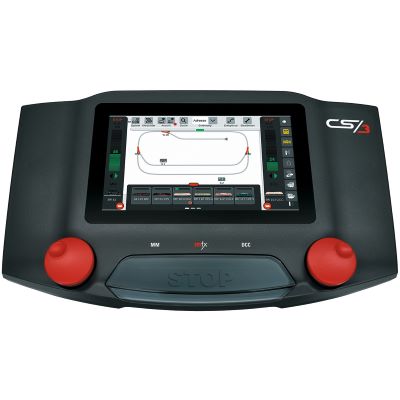
| Märklin CS3 / CS3 plus | mfx, mfx+, DCC, Motorola | up to 5 A with a suitable power supply | touchscreen, rotary controllers, LAN, browser and handheld controllers | Märklin H0, Gauge 1 and mfx convenience |
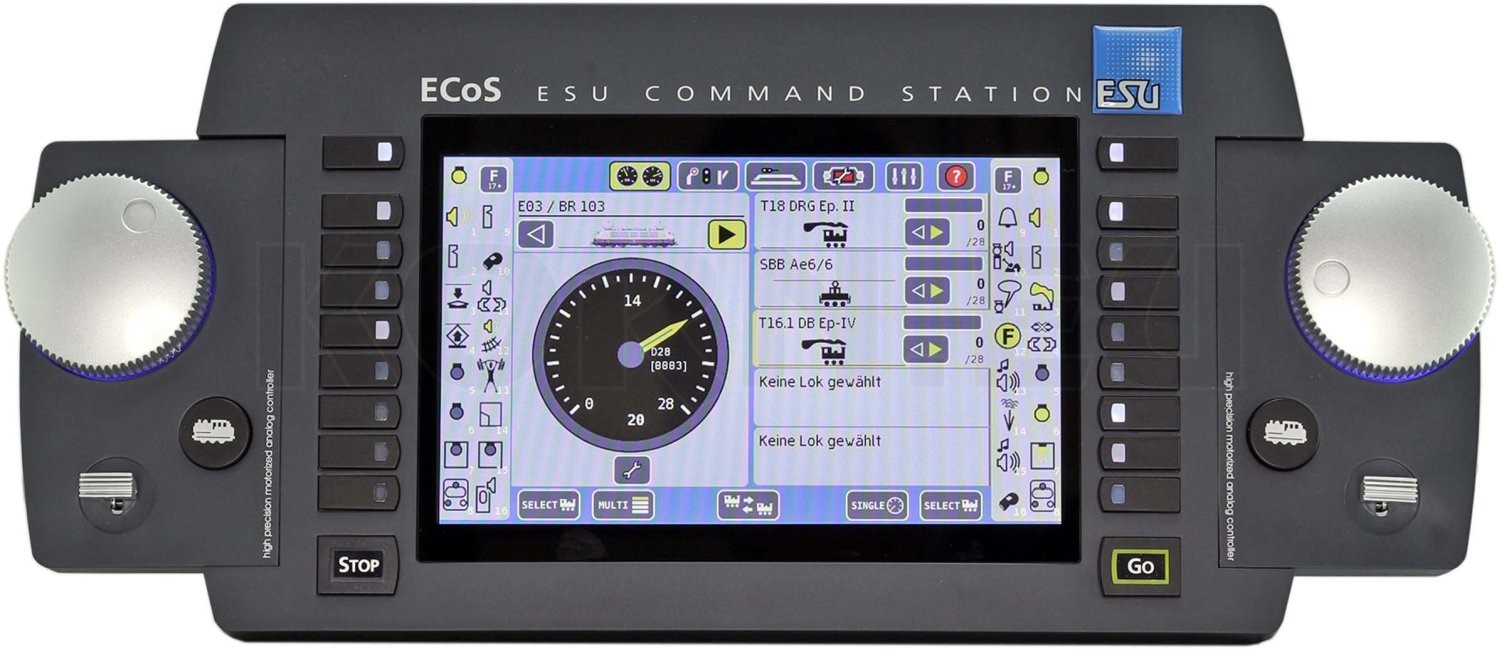
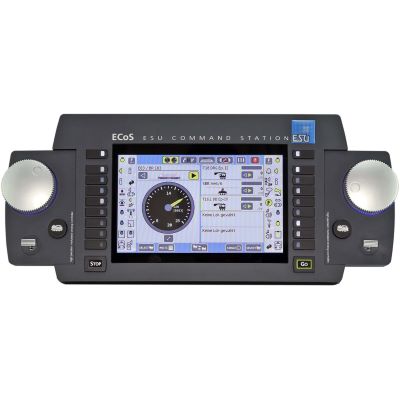
| ESU ECoS 2.5 | DCC, M4, Motorola, Selectrix | 6 A · adjustable track voltage | 7-inch touchscreen, two controllers, LAN, ECoSlink | multi-protocol operation and mixed decoder fleets |
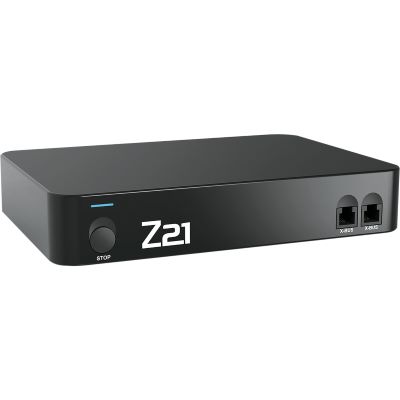
| Roco Z21 | DCC, Motorola | up to 3 A · adjustable track voltage | app, Wi-Fi, LAN, multiMAUS and computer | networking, RailCom and computer control |
| Uhlenbrock Intellibox 3 | DCC, mfx, Motorola, Selectrix | integrated power output | two controllers, colour display, Wi-Fi and LocoNet | LocoNet and existing multi-protocol layouts |
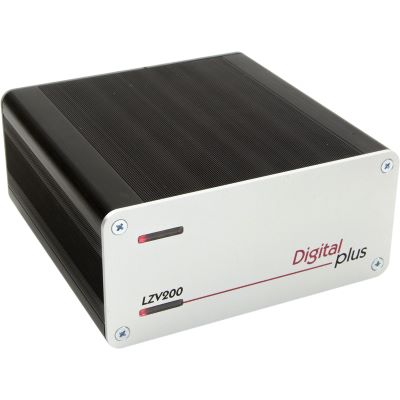
| Lenz LZV200 | DCC | 5 A | XpressNet handheld controllers and expansions | traditional, robust DCC system |
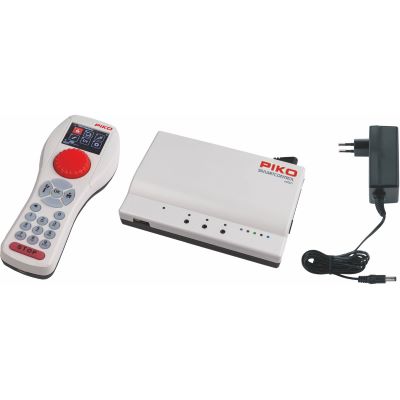
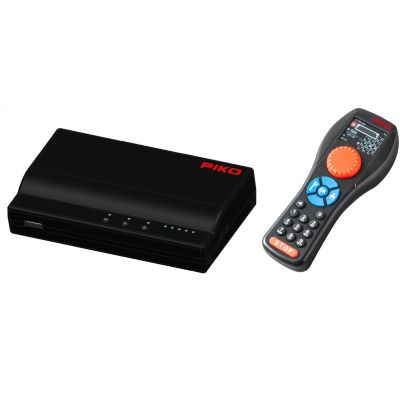
| PIKO SmartControl WLAN | DCC | 2 A with the H0 base unit | Wi-Fi handheld controller | comfortable mobile introduction to DCC |
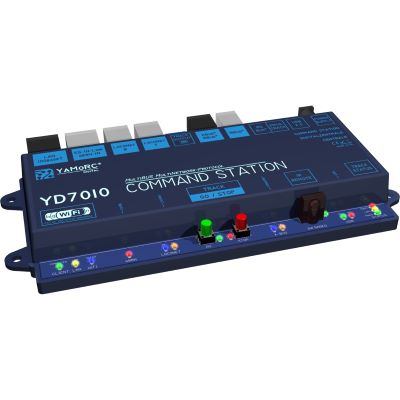
| YaMoRC YD7010 | DCC | 3 A | Wi-Fi, LAN, USB, Z21 protocol and LocoNet connectivity | open network and bus architecture |
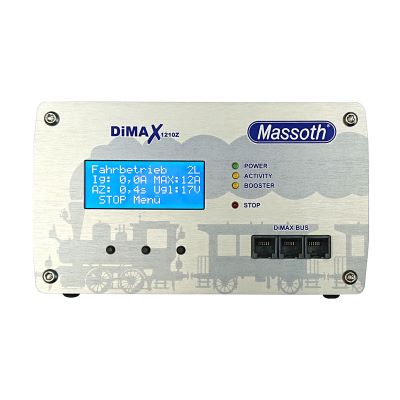
| Massoth DiMAX 1210Z | NMRA DCC / Massoth | selectable 4 / 7 / 12 A | Navigator, wireless control, DiMAX bus and USB | Gauge G and very high power requirements |
| tams mc² | DCC, DCC-A, Motorola, m3 | depends on booster and system configuration | LAN, LocoNet, XpressNet, s88-N, BiDiB | modular networking across several bus systems |
The Most Important Digital Worlds
 mfx World
 Network
 6 A
6 A
 LocoNet
 DCC
DCC
 Wi-Fi
Wi-Fi
From a Simple DCC Handheld Controller to a Multi-Protocol Control Centre
The differences become particularly clear in operation, feedback and expandability. These system worlds lead directly to detailed specialist guides.
mfx World
Märklin Central Station 3
Touchscreen control, automatic mfx registration and extensive Märklin-system integration for locomotives and accessories.
Compare the CS3 in Detail →
Network
Roco Z21
Highly versatile network command station with app, WLANMAUS, multiMAUS, computer connectivity and RailCom support.
Open the Z21 System World →
6 A
ESU ECoS
Large touchscreen, two speed controllers and comprehensive multi-protocol operation for mixed decoder fleets.
Discover ECoS →
LocoNet
Uhlenbrock Intellibox 3
Multi-protocol command station for traditional and modern layouts, particularly useful when an existing LocoNet infrastructure should continue to be used.
View Intellibox 3 →
DCC
Lenz Digital Plus
Clearly structured DCC system with XpressNet, RailCom and a powerful basis for layouts that are intended to grow.
Open Lenz Digital →
Wi-Fi
PIKO SmartControl WLAN
Convenient Wi-Fi handheld controller with a DCC base system for beginners and medium-sized model railway layouts.
Discover SmartControl →
Open Manufacturer Worlds Directly
Manufacturers of Command Stations, Decoders and Layout Control
A command station forms only the centre of the system. Handheld controllers, boosters, feedback modules, decoders and switching modules often come from the same system family or must be connected through compatible buses.




Size the Power Correctly
Which Digital Command Station Suits Z, N, TT, H0, 0, 1 and G?
The digital protocol is not tied to a particular scale. Track voltage, motor output and total current demand can, however, differ considerably. Very small and very large scales therefore require particular attention to power supply and settings.
| Scale World | Typical Systems | What to Check | Special Consideration |
|---|---|---|---|
| Z & N | Lenz, Z21, YaMoRC, DAISY II, PIKO | suitable track voltage and reliable power supply | very high amperage is usually less important |
| TT & TTe | Z21, Lenz, PIKO, YaMoRC, ECoS, Intellibox | DCC, feedback and later multi-train operation | very broad choice of DCC systems |
| H0 DC, H0e, H0m & H0f | Z21, ECoS, Lenz, PIKO, YaMoRC, Uhlenbrock | decoder protocols, feedback bus and automation | one of the widest selections of DCC system families |
| H0 Centre-Conductor | Märklin CS3, ECoS, Intellibox, tams | mfx, Motorola, DCC and existing Märklin components | mixed protocols are particularly relevant |
| Gauge 0 & Gauge 1 | Lenz, ECoS, CS3, Z21 XL and powerful boosters | motor current, sound, smoke and several vehicles | carefully planned booster districts become more important |
| G Gauge / Garden Railway | Massoth DiMAX, PIKO G SmartControl, Z21 XL | high current, cable cross-section and weather-protected electronics | several motors, sound and smoke can increase demand significantly |
Current Control Systems at Modellbahnshop

Digital Command Stations from DCC Entry Level to Large Multi-Protocol Layouts
The following products represent different control and system philosophies. Availability is deliberately not repeated on this overview page; the individual product page remains authoritative.
Compact Digital Command Stations and Starter Systems
Well suited to manageable layouts or users who prefer a physical handheld controller and a straightforward introduction to DCC.
PIKO · DCC · Wi-Fi
SmartControl WLAN
Mobile DCC introduction with an ergonomic Wi-Fi handheld controller and 2 A base unit.
View Product →
Uhlenbrock · DCC · Wi-Fi
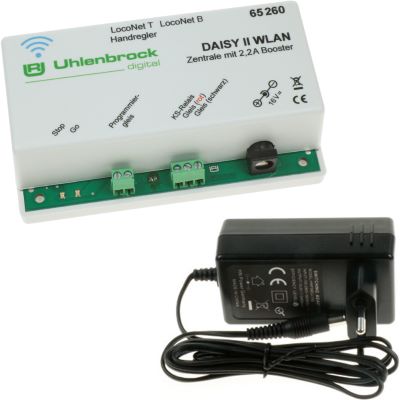
DAISY II WLAN
Compact network command station for Wi-Fi controllers, smartphones and LocoNet system expansion.
View Product →
Lenz · DCC · Starter
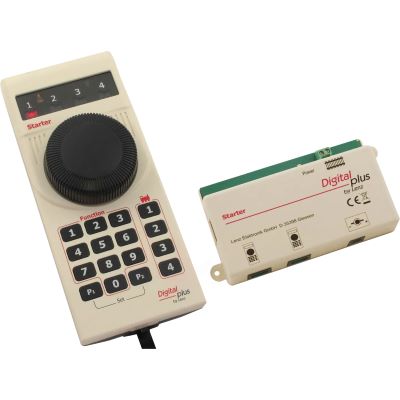
Starter Digital Set
Straightforward introduction to locomotive functions and the first digitally controlled turnouts.
View Product →
YaMoRC · DCC · Network
YD7010
3 A DCC command station with Wi-Fi, LAN, USB and versatile network-protocol support.
View Product →Powerful Command Stations for Growing and Large Layouts
Touchscreens, multi-protocol operation, networking and higher power reserves become increasingly useful as the number of vehicles, feedback sections and operating locations grows.
Märklin · mfx · DCC · MM
Central Station 3
Touchscreen command station for Märklin system integration, routes and extensive model railway layouts.
View Product →
Roco · DCC · MM · RailCom
Z21
Network command station for apps, handheld controllers, feedback modules and computer automation.
View Product →
ESU · Multi-Protocol · 6 A
ECoS 2.5
Large multi-protocol command station with touchscreen, two speed controllers and LAN connectivity.
View Product →
Uhlenbrock · mfx · DCC · LocoNet
Intellibox 3
Versatile multi-protocol command station with two controllers and extensive bus integration.
View Product →
Lenz · DCC · 5 A
LZV200
Expandable DCC command station with XpressNet and integrated RailCom support.
View Product →
Massoth · DCC · Up to 12 A
DiMAX 1210Z
High-output digital command station with selectable 4, 7 or 12 A limits for large layouts.
View Product →
PIKO · G Gauge · 5 A
G SmartControl WLAN
Mobile DCC control with greater output capacity for garden-railway vehicles.
View Product →
Current Products from the Webshop
Search Digital Command Stations, Sets, Controllers and Boosters Live
Product Radar reads the current English command-station category and relevant manufacturer pages. Discovered product pages are checked again before being displayed. If an archive notice is detected, the product is excluded. Small preview images are normalised to the 400-pixel shop version.
Live retrieval will start when you approach this section.
Current digital products will be loaded from the webshop shortly.
Avoid Expensive System Changes
The Most Common Mistakes When Buying a Digital Command Station
Most unsuitable purchases are not caused by a bad product, but by failing to consider existing decoders, later expansions or the preferred operating method.
Choosing Only by Amperage
More current does not automatically mean better control. Protocols, buses and operating methods are at least as important.
Confusing DCC with Two-Rail Operation
DCC is a digital data format. Two-rail describes the track and electrical current-collection system.
Treating Wi-Fi as the Same as Internet Access
Many command stations operate within a local Wi-Fi network and do not require an internet connection for normal train operation.
Planning Feedback Too Late
Hidden staging yards and automation are easier to implement when detection sections are defined before the layout is wired.
Thinking About Boosters Only After Problems Begin
Large layouts should be divided into manageable power and short-circuit districts at an early stage.
Pricing Only the Command Station
Additional controllers, detectors, boosters and interfaces can account for a substantial part of the long-term system cost.
Practical Rule
Inventory the Existing Vehicles and Layout Equipment First
Record decoder protocols, gauge, desired operating positions and any existing feedback or bus modules. It will then usually become clear very quickly which two or three command stations are genuinely worth comparing.
The Command Station Is Only the Beginning
Expand the Digital Layout Step by Step
For reliable operation, the command station, decoders, feedback modules, boosters and network must work together. These guides lead directly to the next decisions.
Frequently Asked Questions Before Choosing a System
FAQ About Digital Command Stations for Model Railways
Key answers about DCC, mfx, Wi-Fi, output power, gauges, smartphones and boosters.
Which Digital Command Station Is Suitable for Beginners?
For manageable DCC layouts, PIKO SmartControl WLAN, Uhlenbrock DAISY II or a Lenz starter system are useful starting points. The important factor is whether the system can expand in line with the planned growth of the layout.
Which Digital Command Station Suits Märklin H0?
For a predominantly current Märklin vehicle fleet, the Central Station 3 is an obvious choice. It supports mfx, mfx+, Motorola and DCC. Other multi-protocol command stations may also be suitable.
What Is the Difference Between DCC and mfx?
DCC is a widely used cross-manufacturer digital protocol. mfx is closely associated with the Märklin system and, with suitable decoders, enables convenient automatic registration.
Can the Roco Z21 Control Motorola Locomotives?
The black Z21 can generate DCC as well as Motorola I and II on the track. It does not support mfx.
Can Decoders and Command Stations from Different Manufacturers Be Combined?
Often, yes. A DCC decoder can be operated with many DCC command stations. mfx, feedback systems, proprietary buses and advanced programming functions require closer examination.
How Many Amps Does a Digital Command Station Need?
This depends on the number of locomotives operating simultaneously, sound, lighting and other electrical consumers. More output should not be selected automatically; large layouts benefit from carefully separated booster districts.
When Do I Need a Booster?
A booster becomes useful or necessary when the current demand exceeds the command station's output or when the layout should be divided into several separate power and short-circuit districts.
What Is RailCom?
RailCom adds a feedback channel to DCC. Compatible decoders can return information through the track. The command station, booster and feedback equipment must support the required function.
Can I Control a Model Railway Only with a Smartphone?
Yes, with suitable network-enabled command stations. During shunting, however, many modellers still prefer the tactile feedback of a physical rotary controller.
Which Command Station Is Good for Computer Control?
Roco Z21, YaMoRC YD7010, ESU ECoS, tams mc² and other network-capable command stations provide interesting options. Support from the particular model railway software must also be checked.
Which Digital Command Station Is Suitable for G Gauge?
Massoth DiMAX and PIKO G SmartControl are particularly suitable for the higher power demand of large garden-railway vehicles. Other systems can also work when track voltage, output and boosters are appropriately specified.
Is an Expensive Command Station Automatically Better?
No. A compact DCC system can be more suitable for a small layout than a comprehensive touchscreen command station. The decisive factor is how well the system matches the actual layout concept.
Chosen a Digital Command Station? Now Plan the Entire System.
The comprehensive Model Railway Guide covers decoders, interfaces, track, electrical systems, feedback, layout planning, gauges, maintenance and further subjects for reliable model railway operation.